Workload Distribution
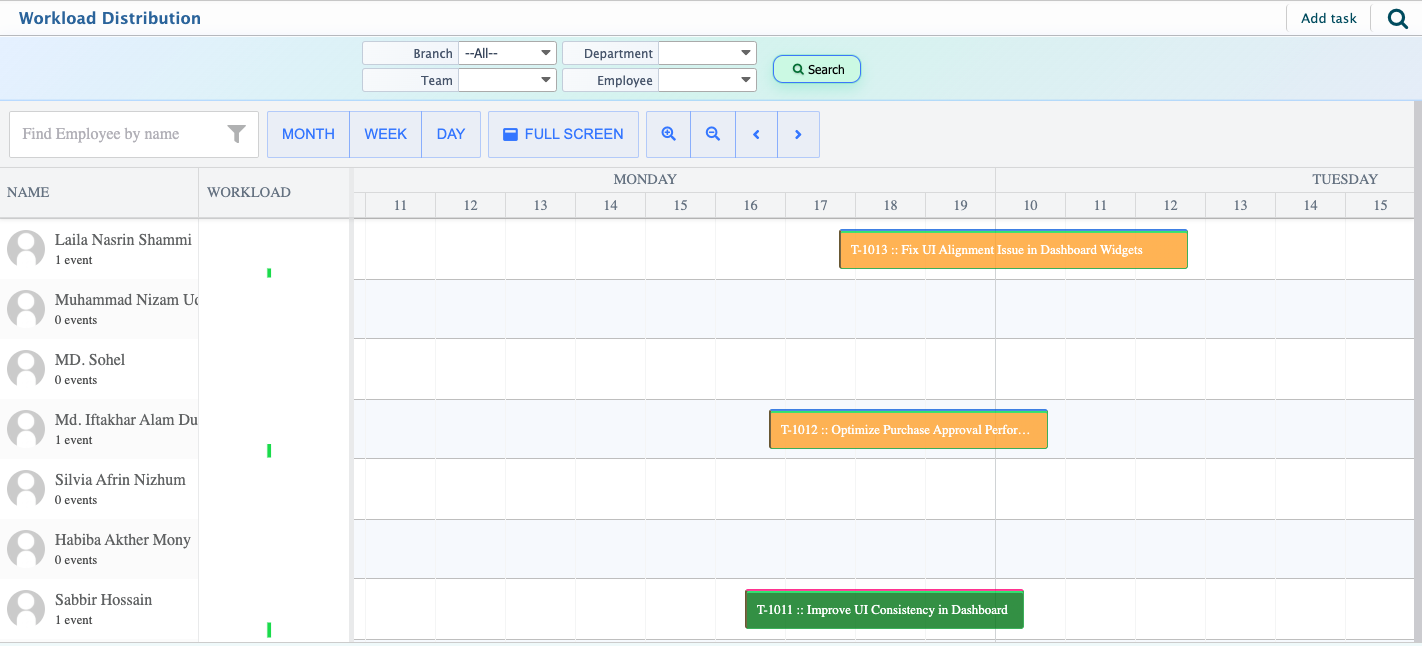
The Workload Distribution in PrismERP displays employees and the tasks assigned to them in a calendar-based layout. Users can view assigned tasks in Month, Week, or Day formats and switch between these views as needed. A Full Screen option is available to display the workload calendar in a larger view.
Tasks are displayed under the respective employees to whom they are assigned. Each task is color-coded based on its current status, allowing users to distinguish between different task stages directly from the calendar.Users can drag and drop tasks from one employee to another to change task assignments. The workload calendar is updated accordingly and reflects the new assignee after the change.From the PrismERP Workload Distribution screen, users can review employee assignments, view scheduled tasks across different time periods, and manage task allocation directly from the calendar interface.